
Employee Scheduling Best Practices: 9 Ways to Build Reliable Shifts
Frontline employee scheduling starts with knowing who is needed on each shift. Managers then have to account for availability, required skills, labor rules, and the changes that arrive once the schedule is published.
Employee scheduling best practices for frontline teams
These nine practices cover the practical choices behind a schedule employees can plan around and managers can keep up to date.
1. Use clear rules for shift assignments
Manual scheduling often creates habits that no one has written down. The same people may get preferred shifts, while others repeatedly cover unpopular hours or miss opportunities for extra work.
Write down the factors that guide an assignment. Depending on the operation, that may include skills, availability, agreed working hours, overtime risk, rotation rules, and employee preferences.
Managers will still need judgment. Clear rules make that judgment easier to explain and apply consistently. They also give employees a clearer basis for raising a concern when a schedule appears unfair.
2. Publish schedules on a reliable cadence
Late schedules make it hard for employees to arrange childcare, appointments, transport, or second jobs. Managers then spend more time handling avoidable requests and changes.
Set a regular publication day and stick to it. Some teams need to publish one week ahead; others can plan further in advance. The right lead time depends on the operation, but employees should know when to expect their next schedule.
When a change is necessary, update the current schedule and notify the people affected through the same channel. That is more reliable than expecting employees to find a new version in a group chat or on a noticeboard.
3. Plan staffing around expected demand
Overstaffing raises labor cost during quiet periods. Understaffing can mean missed sales, longer queues, production delays, and pressure on the people who are working.
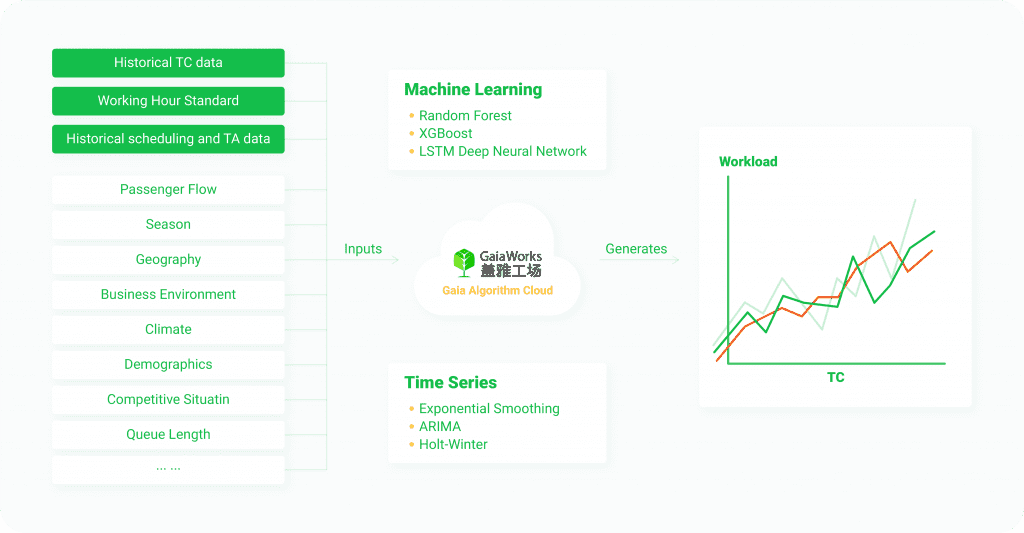
Use the data the business already has. Sales, customer traffic, orders, bookings, and production plans can all help managers estimate the work ahead. Compare that expected workload with the number of people and skills required for each shift.
The plan will not always match reality. Reviewing planned staffing against what actually happened gives managers a better starting point for the next schedule.
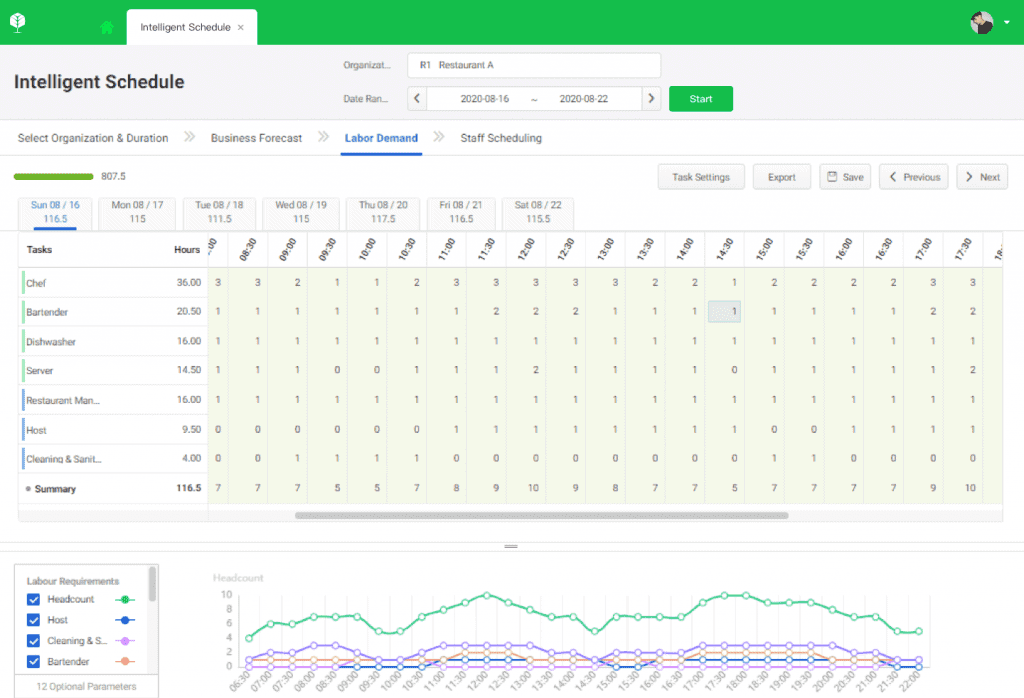
Before publishing, check four things:
- Does each busy period have enough people for the expected workload?
- Does each critical shift include the required skills or certifications?
- Have approved leave and known absences been included?
- Does the plan create avoidable overtime or leave another team exposed?
At a 1,000+ seat service center operated by a global ICT enterprise, scheduling time fell from 340 minutes to 90 minutes after the scheduling process was digitized. The team had to bring together demand forecasts, staff lists, shift rules, leave, training, and employee availability before confirming each schedule.
For a closer look at diagnosing a broken roster, read how to fix roster problems at the source.
4. Keep availability and preferences up to date
Availability changes. So do employee preferences, time-off needs, and personal commitments.
Give employees a clear way to submit those details before schedule building starts. Managers need to know which requests are preferences and which ones cannot be changed. They should also be able to check when the information was last updated.
Current information reduces the number of changes that appear only after a schedule has been published. It also makes it easier to explain why a requested shift could or could not be assigned.
5. Keep one current schedule for everyone
A printed roster, an Excel file, a group chat, and a manager’s notes should not all be treated as the current schedule.
Choose one place where employees and managers check shifts. When managers approve a change, update that version first. Employees then know where to look, and managers have a record of what changed and when.
This reduces confusion caused by old screenshots, forwarded messages, or paper copies. It also helps supervisors take over a schedule without relying on another manager’s memory.
6. Set a controlled process for shift changes
Employees will still get sick, face family emergencies, or need to change a shift. A schedule needs a practical way to handle those cases.
Define who can request a swap, who is eligible to take the shift, which approvals are required, and which checks must happen before the change is confirmed. A replacement may need the right skills, enough rest time, and no resulting overtime or compliance issue.
It helps to separate routine changes from exceptions. A straightforward swap between two qualified employees may follow one process. A change that affects overtime, skill coverage, leave, or a critical shift should go to a manager for review.
At the same 1,000+ seat service center, shift-swap volume fell by 29% after employees received schedules that better reflected their stated needs. The result will vary by operation, but current availability and preference data can reduce the number of changes managers need to make after publishing a schedule.
For a closer look at the cost of repeated schedule changes, read The Real Cost of Last-Minute Frontline Schedule Changes.
7. Fill open shifts fairly
Calling employees one by one when a shift opens is slow and difficult to track. It can also create the impression that extra hours go to the same small group of people.
Identify employees who are eligible and available, then notify that group through a consistent process. Make the acceptance rules visible: who can claim the shift, how long it stays open, and when manager approval is required.
For critical roles, eligibility should include skills and certifications, not only availability. That prevents a rapid fix from creating a problem later in the shift.
8. Make schedules easy to access
If employees need to be on site to check their next shift or request time off, the schedule creates unnecessary work for employees and managers.
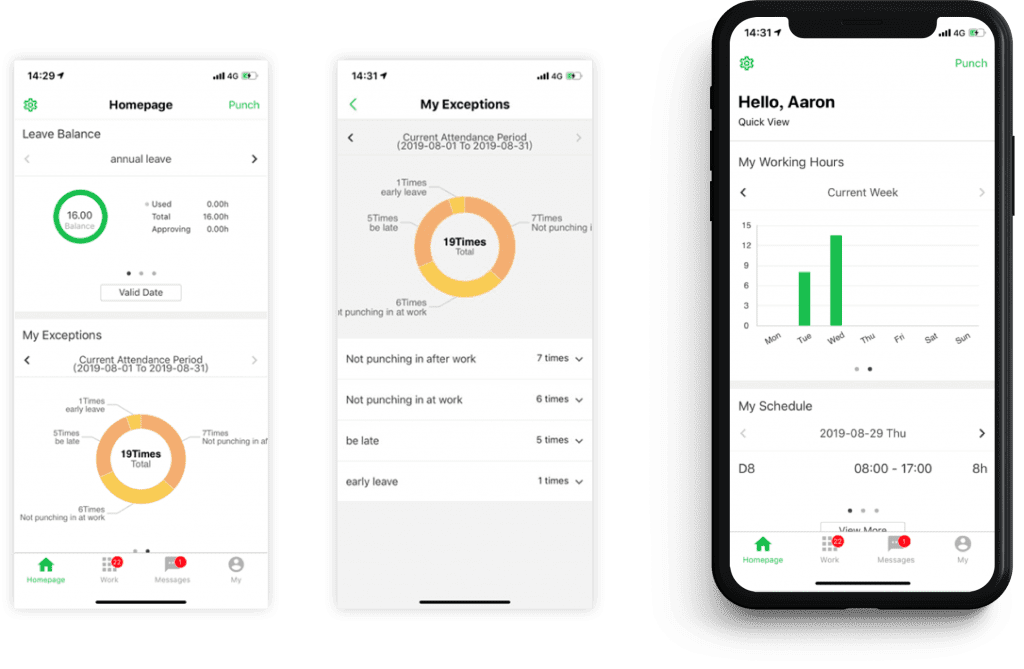
The system should fit the way the team works. For many frontline teams, that means mobile access, clear notifications, and a simple process for viewing shifts or submitting requests.
A published schedule only helps when employees can see it and respond to it. Easy access also gives them a practical way to confirm a change before they arrive for work.
9. Match skills and certifications to critical work
Headcount is a poor measure of coverage when a shift lacks someone qualified to operate equipment, supervise a task, complete a safety check, or serve a specialist customer need.
Keep skills and certification records current. Use them when assigning critical work, and review upcoming shifts for coverage risks. A site may have enough people scheduled but only one person who can perform a required task.
At Swire Coca-Cola, weekly scheduling for complex multi-line operations fell from four to six hours to 10 minutes. The company also recorded a 2% increase in production capacity without additional hiring. Its planners needed to coordinate labor sharing across production lines while matching technician skills, certifications, and overtime constraints.
For another example of skills coverage in a seasonal operation, see F Factory, where managers built a 30% multi-skilled reserve for critical roles.
For more on turning headcount into usable capacity, read How Skills Data Turns Frontline Headcount Into Usable Capacity.
Put the practices into a regular planning routine
Reliable employee scheduling depends on a regular routine. Collect current inputs, plan around expected demand, assign shifts against clear rules, publish on time, manage changes, and review where the plan differed from reality.
For complex workforces, technology can support demand forecasting, reviewing schedules before publication, and handling changes after shifts are published. GaiaWorks describes these capabilities on its Smart Scheduling product page.
Teams looking to reduce manual work can also read five practical changes that make employee scheduling easier.
Frequently asked questions
How far ahead should employee schedules be published?
Publish schedules on a consistent cadence that gives employees time to plan and gives managers time to approve necessary changes. The appropriate lead time differs by industry and demand volatility, but the publication date should be predictable.
What information should managers collect before creating a schedule?
Managers need expected demand, employee availability, approved leave, required skills or certifications, agreed working hours, and any overtime or local compliance constraints. The more current this information is, the fewer changes managers need to make after publication.
What makes an employee schedule fair?
A fair schedule applies the same assignment rules across the team. Managers should be able to explain how skills, availability, preferences, rotation rules, and extra shifts were considered.